How do I list my business on ChatGPT? Businesses in ChatGPT explained
To list your business on ChatGPT, you claim it in OpenAI's Business Hub. The steps, checks, regions and limits from OpenAI's own pages, read November 10, 2026.
Run a free check on app.ayrank.com→No sign-up. See if ChatGPT names your brand.Client result: Wearview went from $0 to $36K MRR in 8 months.
Abdelmoghit drives the content engine at AY Rank. He researches keywords, plans content clusters, and produces citation-optimized articles that rank in both Google and AI search engines.
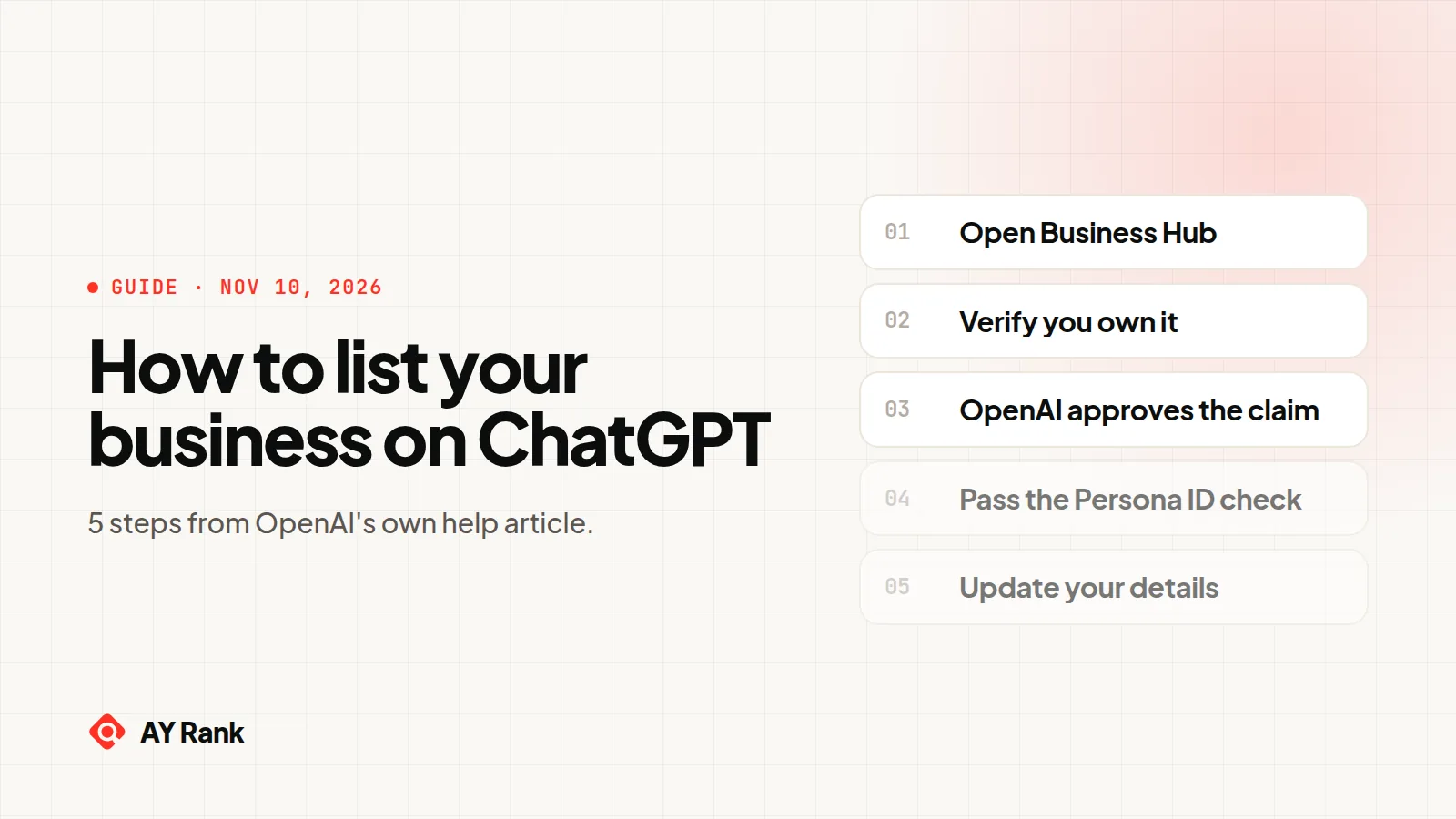
To list your business on ChatGPT, you claim it in OpenAI's Business Hub. Open it from the ChatGPT sidebar on the web, find your business, verify by phone, email, website domain or Shopify, wait for OpenAI's approval, then pass a Persona ID check. In beta since November 10, 2026.
To list your business on ChatGPT, you claim it in OpenAI's Business Hub, the tool OpenAI launched with Businesses in ChatGPT on November 10, 2026. Searchers say "list". OpenAI's steps say "claim". Every step below comes from OpenAI's own announcement and help center.
If you searched for "ChatGPT Business", that is a different product. It is OpenAI's paid workspace plan for teams. This guide is about getting your company found inside ChatGPT answers.
What does OpenAI say about Businesses in ChatGPT?
Here is what OpenAI's announcement and help center say so far, in one table. Each row links to the OpenAI page it comes from.
Businesses in ChatGPT: what OpenAI says, read 10 Nov 2026
Question
What OpenAI says
Source
What is it?
Businesses in ChatGPT, "in beta". Business Hub lets you claim your business, manage its information and see insights
Source: OpenAI's announcement (openai.com/index/introducing-businesses-chatgpt) and help center (help.openai.com articles 20001635, 6825453, 20001524), read 10 Nov 2026. Quotes are OpenAI's words.
Not stated yet (checked November 10, 2026): a price for Business Hub or Business Agents, the full list of eligible categories, dates for Business Agents outside the US, how long claim and Persona reviews take (OpenAI says "Review time varies"), whether a verified profile shows up more often, how ChatGPT picks which businesses to name, whether profiles show to signed-out users, and any public API for Business Hub data. We will update this page when OpenAI publishes any of it.
How do I list my business on ChatGPT, step by step?
Sign in to ChatGPT on the web and open Business Hub from the sidebar. Search for your business by name, pick the match, and confirm which ChatGPT account will manage it. Choose that account carefully. OpenAI says invitations for teammates and agencies can depend on the account used to claim.
2. Verify that it is yours
ChatGPT shows the verification methods available for your business. OpenAI names four:
Business phone. A code by text message or automated call.
Business email. A code sent to the address tied to your business.
Website domain. You add a TXT record to your DNS, then select Verify domain. DNS changes can take a while to show.
Shopify store. You sign in to the store and approve the connection.
If you got a claim invitation by email, open that personal link instead. If you see "Contact support", your business is locked and OpenAI support has to help.
3. Wait for OpenAI to approve the claim
OpenAI reviews each claim and emails you a decision or a request for more information. You can cancel while it is under review.
4. Pass the Persona identity check
Claim approval gets you into Business Hub. To publish changes, see insights or build an agent, you also need identity verification with Persona. OpenAI says you may need "a government-issued ID, business registration information, and proof that you're authorized to represent the business."
The blue verified badge appears only after OpenAI approves your Persona verification. Claiming alone does not add it. One warning from OpenAI: "If you use Persona to create a new profile, OpenAI's approval automatically publishes the profile."
5. Update your details and connect a product feed
Once both approvals are in, you can edit your website, description, category, logo, delivery and return policies, and add a cover photo. If you sell products, you can connect a product feed (CSV, hosted file or Shopify) with prices and availability. Our guide to ChatGPT product feed requirements covers the fields.
OpenAI reviews every change before it goes live, and "ChatGPT may also use other sources when answering questions about your business."
What changes after you claim your business?
Less than most people hope. OpenAI says plainly that claiming "doesn't guarantee increased visibility or give you direct control over ChatGPT's independent recommendations." It also says "Claiming a profile or disputing ownership doesn't change its visibility in ChatGPT." For the claim and verification steps in detail, see our guide to claiming your business in ChatGPT.
What you do get:
Read the insights rules closely. For an online business, a mention counts only "when ChatGPT references the business's website. The brand name alone doesn't count." A blank metric "doesn't necessarily mean zero activity". You may be under the reporting threshold.
What are Business Agents?
A Business Agent is a chat assistant you build in Business Hub that answers customer questions from the information you give it. When your business appears in an answer, people can open your profile and start a separate, labeled chat with your agent.
Three limits matter right now:
Only eligible ecommerce and online service businesses in the US with a website can create one.
The agent can explain products and policies and link to your site. It cannot take orders, make bookings or check an order.
You must preview it and press Publish. Customers can only chat with a published agent.
OpenAI's announcement says businesses can also sponsor their agent as the destination for ChatGPT Ads. Its Sponsored Agents help page, updated before launch, still calls that format "a limited alpha test" for selected advertisers.
"When a business appears in a model response, people can click to see the business's ChatGPT profile"
Insights
Mentions, website clicks, discovery topics, past 28 days
Team and agency access
The admin can add teammates and grant an agency access
An optional Business Agent
US ecommerce and online service businesses only, for now
How does ChatGPT recommend businesses?
OpenAI has not published how ChatGPT picks which businesses to name. What it has said fits in three points:
Claiming your business does not guarantee more visibility, and ads do not change ChatGPT's independent answers.
When ChatGPT answers questions about your business, it "may also use other sources" besides your Business Hub details.
When ChatGPT search uses outside search providers, it "typically rewrites your query into one or more targeted queries" and sends them to those providers. Answers that use web search "may include citations".
Our reading, not OpenAI's: the pages search returns for your buyers' questions still feed the answer, and that is the part you can work on. We explain where those sources come from in where ChatGPT gets its information.
Is there a ChatGPT business listing form?
OpenAI's pages describe no separate form. You claim your business in Business Hub, inside ChatGPT. Shopify merchants can also start from the Shopify admin, and existing OpenAI Enterprise customers and advertisers can go through their OpenAI representative. If ChatGPT cannot find your business, OpenAI says an eligible online business "may see an option to add it". Local stores and restaurants can, for now, only claim a business that already exists in ChatGPT in the US.
Articles written before November 10, 2026 that say there is no submission form are now out of date.
Does ChatGPT use your Google Business Profile?
OpenAI's Business Hub pages do not mention Google Business Profile. Business Hub has its own claim and its own checks (phone, email, website domain, Shopify, Persona).
Whether ChatGPT reads Google Business Profile data is not stated. OpenAI's web search help says ChatGPT may share your location with "trusted third-party providers that help provide more local information, such as nearby business listings", but it does not name them.
What can you do today to be found and cited in ChatGPT?
Split this into what OpenAI documents and what is our own method. They are different kinds of advice.
What OpenAI documents
Claim your business and finish Persona. Without Persona you cannot publish changes or see insights.
Keep your details current. OpenAI reviews each change, and updates "can take time to appear".
Connect a product feed if you sell products. OpenAI notes a feed does not "guarantee that ChatGPT recommends your products".
Add your website in Business Hub. For online businesses, a mention counts only when ChatGPT references your website.
US ecommerce or online service? Build, test and publish a Business Agent.
AY Rank's method (our own, not OpenAI's)
Business Hub shows your numbers only after you claim and verify, and only in aggregate. Before that, and next to it, we check the answers directly:
AY Rank asks ChatGPT and ChatGPT Search your buyers' questions and records what they answer (prompt-based checks). OpenAI's Business Hub has no public API, so we don't show its numbers (mentions, website clicks, discovery topics). Claim your business there to see them.
Then we work through four steps:
Write down 20 to 50 questions a buyer asks before choosing a company like yours.
Ask each one in ChatGPT and ChatGPT Search. Note whether you are named, who is named instead, and which pages are cited.
Fix or create the pages that answer those questions on your own site, so ChatGPT has a page of yours to reference.
The free check writes 3 buyer questions from your site, asks an AI assistant each one and shows whether you are named. The app asks ChatGPT and five other engines with live search. Prompt-based checks, not Business Hub data. Want it every day? Track it every day (7-day free trial).
You claim it in OpenAI's Business Hub. Open Business Hub from the ChatGPT sidebar on the web, search for your business, verify by phone, email, website domain or Shopify, and wait for approval. Then pass a Persona identity check to publish changes and see insights.
Does it cost anything to claim my business in ChatGPT?
OpenAI has not stated a price. Its help article says you don't need an Ads account or a ChatGPT Enterprise agreement to claim an eligible business. Advertising and Business Agents are separate from claiming.
Will claiming my business make ChatGPT recommend it more?
Not by itself. OpenAI says claiming "doesn't guarantee increased visibility or give you direct control over ChatGPT's independent recommendations." In our experience the pages ChatGPT finds and cites for your buyers' questions still matter, and that is what GEO optimization works on.
Can I claim my business if I am outside the US?
Online businesses can, if they are eligible, located where ChatGPT is available, and verification is supported there. Local stores and restaurants outside the US can't yet. They can only claim an existing business in the US. Business Agents are US only for now.
How long does verification take?
OpenAI does not give a time. It says "Review time varies" and emails you a decision or a request for more information. Claim review and Persona review are two separate steps.
Can my agency manage my business in Business Hub?
Yes. The admin who claimed the business can add teammates and grant an agency access to manage the business or its agent. Each person uses their own ChatGPT account.
What counts as a mention in Business Hub insights?
For an online business, a mention counts when ChatGPT references your website. Your brand name alone does not count. For a local business, a mention counts when ChatGPT shows a result for that location.
Is Businesses in ChatGPT the same as ChatGPT Business?
No. ChatGPT Business is OpenAI's paid workspace plan for teams. Businesses in ChatGPT and Business Hub are how a company claims its business and manages its information in ChatGPT.