How to slow down Googlebot and AI crawlers with 429 and Retry-After
Google's crawl rate page now shows Retry-After examples next to its old advice: return 500, 503 or 429 to cut crawling for a short emergency, and stop within 1-2 days or URLs can drop from the index. What Google and each AI crawler document, plus nginx, Cloudflare Worker and Next.js configs that only touch crawlers.
Run a free check on app.ayrank.com→No sign-up. See if ChatGPT names your brand.Client result: Wearview went from $0 to $36K MRR in 8 months.
Abdelmoghit drives the content engine at AY Rank. He researches keywords, plans content clusters, and produces citation-optimized articles that rank in both Google and AI search engines.
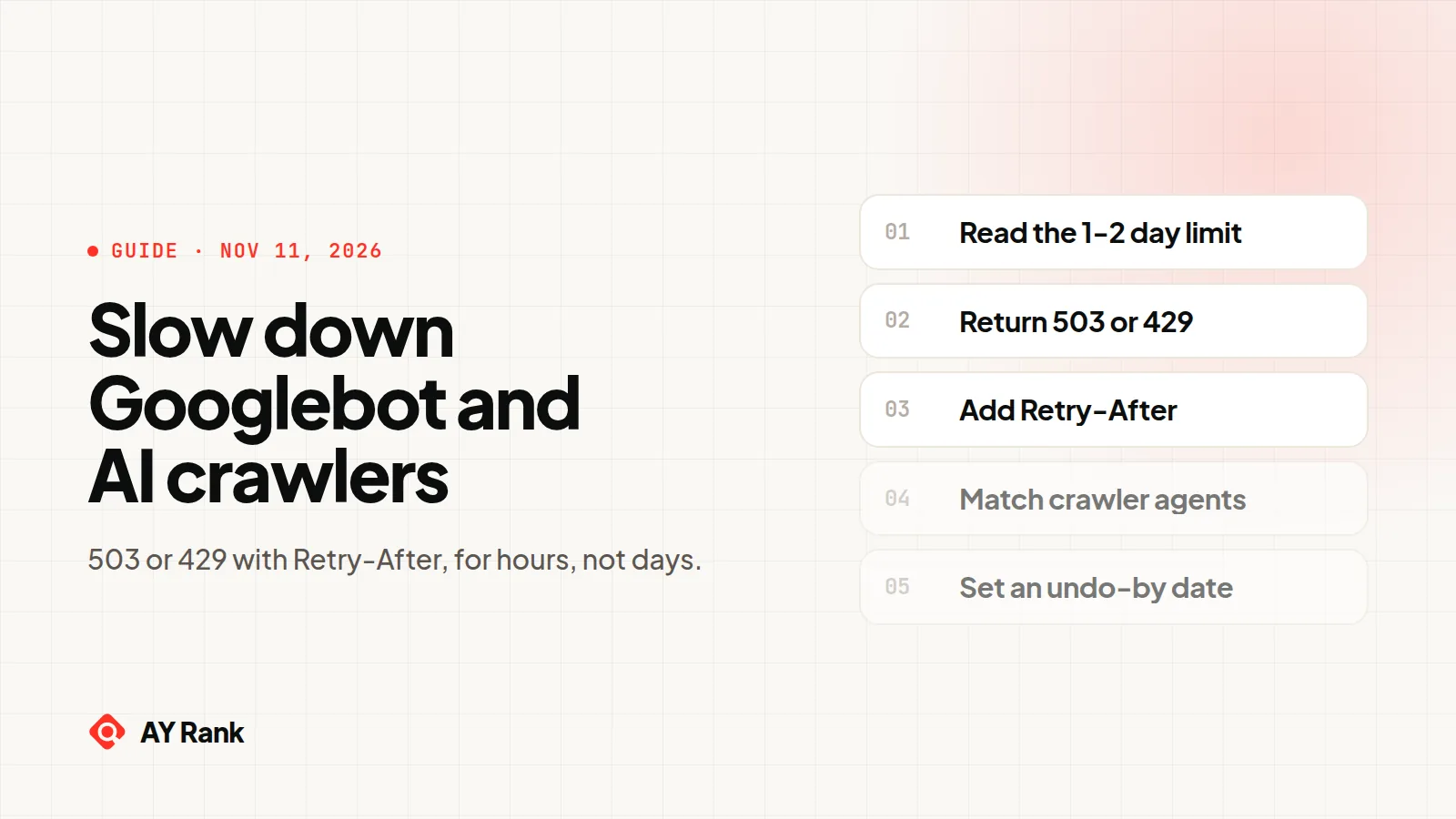
Return 503 or 429 with a Retry-After header to crawler requests only, for a few hours. Google says not to keep it up longer than 1-2 days, because URLs that serve these codes for multiple days may be dropped from its index.
Start with Google's limit, because it decides everything else. Google says you can urgently reduce its crawl rate by returning a 500, 503 or 429 status code instead of 200, and then warns: "We don't recommend that you do this for a long period of time (meaning, longer than 1-2 days) as it may have a negative effect on how your site appears in Google products." For Search, "if Googlebot observes these status codes on the same URL for multiple days, the URL may be dropped from Google's index."
So this is an emergency brake for hours, not a way to cap Googlebot for the month. This guide covers what Google's Reduce the Google crawl rate page says, what the AI crawler vendors say in their own docs (often nothing), and three configs for nginx, a Cloudflare Worker and Next.js. Each one only touches named crawlers, only inside a time window, and comes with an undo-by date.
Read this before you add any of the configs below. Google lists the side effects of a lower crawl rate: Googlebot "will discover fewer new pages, existing pages will be refreshed less frequently (for example, prices and product availability may take longer to be reflected in Search), and removed pages may stay in the index longer." For Google Ads, "your campaigns may be canceled or paused, and your ads may not serve." Keep the window to hours, and never past 1-2 days.
What does Google say about 429, 503 and Retry-After?
Google restructured the emergency section of this page on October 6, 2026. Here is what it says, quoted from the page as read on November 11, 2026.
Reducing Googlebot's crawl rate: what Google's page says
Question
What Google says
Which status codes?
"return a 500, 503, or 429 HTTP response status code instead of 200 to the crawl requests"
For how long?
"for a short period of time (for example, a couple of hours, or 1-2 days)"
What does Google do?
It "reduces your site's crawl rate across the whole hostname (for example, subdomain.example.com), including both the URLs that return errors and the URLs that return content"
When does it speed up again?
"It automatically increases the crawl rate again once the number of these errors is reduced"
Can you say when to come back?
With 503 or 429, "you can also include a Retry-After HTTP header (as defined in RFC 9110 HTTP Semantics)"
Which Retry-After formats?
"either a delay in seconds or an absolute UTC date and time". Examples: Retry-After: 120 and Retry-After: Wed, 21 Oct 2026 07:28:00 GMT
What if you go too long?
"if Googlebot observes these status codes on the same URL for multiple days, the URL may be dropped from Google's index"
What if you can't serve errors?
"file a special request to report a problem with an unusually high crawl rate, mentioning the optimal rate for your site"
Can you ask for more crawling?
No. "You cannot request an increase in crawl rate"
Source: Google, Reduce the Google crawl rate (last updated October 6, 2026), and Google's crawling documentation changelog, October 6, 2026 entry. Read November 11, 2026. Quotes are Google's words.
Two things in that table change how you set this up.
First, the effect is hostname-wide. Once Googlebot sees a significant number of these errors, it slows down across the whole hostname, the pages still serving content included. You can't use this to slow down one section of a site and keep crawling the rest at full speed.
Second, Retry-After is not new. Google's changelog entry for October 6 says: "Support for the Retry-After HTTP header is not new (it was already documented in Temporarily pause or disable a website), and adding it directly to the crawl rate reduction guide makes it easier to find and understand when urgently reducing crawler traffic." If you read a recap calling it a new Google feature, it isn't. The October change put the examples on the crawl rate page.
Google also uses 500 in the list of codes, but its Retry-After sentence names only 503 and 429. All three configs below use 503, since they cover a planned window. Swap in 429 if the reason is "you are crawling too fast" rather than "we are down".
What causes a sudden crawl spike in the first place?
Before you throttle, look at what Googlebot is fetching. Google says the most common cause of a sharp increase is "Inefficient configuration of URLs on the site", and lists three examples:
Faceted navigation or other sorting and filtering functionality
A calendar with a lot of URLs for specific dates
A Dynamic Search Ad target
Google recommends you "check with your hosting company and look at your server's recent access logs to understand the source of the traffic". If most Googlebot hits land on ?color=red&size=9&sort=price style URLs, a 503 only hides the problem for a day. Google points to its guides on faceted navigation and crawl budget for the real fix.
Do AI crawlers respect 429, 503 or Retry-After?
Mostly, their docs don't say. We read each vendor's own crawler documentation on November 11, 2026 and searched it for 429, 503, Retry-After, back-off and crawl rate. The table only uses what those pages say. We left third-party claims out.
What each AI crawler vendor documents about 429, 503 and Retry-After
Crawler
429, 503 or Retry-After in the vendor's docs
Other rate control the vendor documents
GPTBot, OAI-SearchBot (OpenAI)
Not documented by OpenAI (checked November 11, 2026)
Not documented by Apple (checked November 11, 2026). Apple says only that "Applebot's crawl rate adjusts automatically when a site slows down or returns errors"
Why Bingbot covers Copilot: Bing's Webmaster Guidelines say "Bing and Copilot search experiences rely on the same core crawling, indexing, and ranking foundation as traditional search." Bing's crawler list names robots.txt and the Crawl control tool as your two options.
So for most AI crawlers a 503 is a guess. It stops that request from reaching your app. But only Common Crawl names 429 and 5xx as a reason to back off, Apple says only that Applebot adjusts when a site "returns errors", and only Google documents Retry-After. If an AI crawler is the problem, the documented tools are robots.txt and, for ClaudeBot, Bingbot and CCBot, crawl-delay. Our robots.txt guide for AI crawlers lists the user agents and rules.
Blocking is a bigger decision than slowing down, because some of these bots feed AI answers and others feed model training. Our AI training vs AI grounding piece explains the split, and the free AI training and grounding checker shows what your robots.txt and meta tags currently tell each one.
We left the user-triggered fetchers out on purpose. ChatGPT-User, Claude-User and Perplexity-User fetch a page because a person asked a question right then. OpenAI says ChatGPT-User "is not used for crawling the web in an automatic fashion." A 503 there means someone gets an answer without your page. That's our call, not a vendor rule, so add them to the list if they are the ones causing the load.
How do you return 503 with Retry-After only to crawlers?
All three configs follow the same rules:
Match crawler user agents by name: Googlebot, GPTBot, OAI-SearchBot, ClaudeBot, Claude-SearchBot, PerplexityBot, bingbot, Applebot, CCBot. Everyone else gets the normal page.
Only inside one time window. The example window is 02:00 to 06:00 UTC on November 12, 2026. Change it to yours.
Send Retry-After and Cache-Control: no-store. The no-store matters if a CDN sits in front. You don't want a cached 503 served to the next human on that URL. The reverse also happens. A CDN that caches your HTML answers crawlers from cache, so the rule only slows the requests that reach your server.
Carry an undo-by date in the file itself. The Worker and Next.js versions also refuse to fire if the window is longer than 2 days, which is Google's outer limit.
Matching on user agent means anyone can fake "Googlebot" and get a 503. That's harmless here, since the worst case is a fake bot getting an error page. Don't reuse this list to allow things, though. For that, verify the requests instead of trusting the header.
nginx: map on user agent and time
Put the three map blocks in your http {} block. The if goes into every location that serves pages, because add_header isn't allowed in an if at server level. The third map only turns on when both the user agent and the time match. If you already have an error_page 503 rule that redirects to a maintenance page, test that the headers still arrive.
# Crawler pause: 503 + Retry-After for named crawlers, 02:00 to 05:59 on 2026-11-12 (server time).
# Undo by 2026-11-13: delete these three maps and the if block, then run nginx -t && nginx -s reload.
# Put the maps in the http {} block. $time_iso8601 is server local time, so set the regex for your server's zone.

map $http_user_agent $is_crawler {
    default 0;
    "~*(Googlebot|GPTBot|OAI-SearchBot|ClaudeBot|Claude-SearchBot|PerplexityBot|bingbot|Applebot|CCBot)" 1;
}

map $time_iso8601 $in_pause_window {
    default 0;
    "~^2026-11-12T0[2-5]:" 1;
}

map "$is_crawler$in_pause_window" $pause_crawler {
    default 0;
    "11" 1;
}

server {
    listen 80;
    server_name example.com;

    location / {
        if ($pause_crawler) {
            add_header Retry-After 3600 always;
            add_header Cache-Control "no-store" always;
            return 503;
        }
        # your normal config continues here (root, proxy_pass, try_files ...)
        root /var/www/html;
    }
}
Documented: "The crawler uses an adaptive back-off algorithm that slows down requests to your website if your web server is responding with a HTTP 429 or 5xx status." Retry-After not documented by Common Crawl (checked November 11, 2026)
Source: each vendor's own crawler page, linked in the table. Checked November 11, 2026. 'Not documented' means the page says nothing about 429, 503 or Retry-After on that date, not that the crawler ignores them.
Undo by: the regex stops matching after 05:59 on November 12, so the pause ends on its own. Still delete the maps and the if by November 13, so a later edit of one date can't switch it back on.
Tested November 11, 2026 on nginx 1.24.0, Ubuntu. nginx -t passes on the config exactly as printed. With the regex moved to the current hour, a Googlebot or ClaudeBot user agent got 503 with Retry-After: 3600 and Cache-Control: no-store. A browser user agent and an empty user agent got 200.
Cloudflare Worker: one window, named crawlers
Deploy this as a Worker on the route that serves your site. It answers named crawlers itself during the window and passes every other request to your origin with fetch(request). This one sends Retry-After as an absolute date, the window's end.
// Cloudflare Worker: 503 + Retry-After for named crawlers during one UTC window. Everyone else passes through.
// Undo by 2026-11-13: remove the Worker route (or delete the Worker). After END it already does nothing.
const START = Date.parse("2026-11-12T02:00:00Z");
const END = Date.parse("2026-11-12T06:00:00Z");
const MAX_WINDOW_MS = 2 * 24 * 60 * 60 * 1000; // Google: not longer than 1-2 days
const CRAWLERS = /Googlebot|GPTBot|OAI-SearchBot|ClaudeBot|Claude-SearchBot|PerplexityBot|bingbot|Applebot|CCBot/i;

export default {
  async fetch(request) {
    const now = Date.now();
    const ua = request.headers.get("user-agent") || "";
    const inWindow = now >= START && now < END && END - START <= MAX_WINDOW_MS;
    if (inWindow && CRAWLERS.test(ua)) {
      return new Response("Temporarily unavailable for crawlers. Please retry later.", {
        status: 503,
        headers: {
          "Retry-After": new Date(END).toUTCString(),
          "Cache-Control": "no-store",
          "Content-Type": "text/plain; charset=utf-8",
        },
      });
    }
    return fetch(request);
  },
};
Undo by: November 13, 2026. Remove the route or delete the Worker. After END it passes everything through, but a forgotten Worker is one date edit away from blocking crawlers again.
Syntax-checked November 11, 2026, not deployed to Cloudflare.node --check passes. Called once in Node 24 with a mocked origin and the window moved to the current hour, it returned 503 with Retry-After: Wed, 11 Nov 2026 07:18:33 GMT for Googlebot and GPTBot, and the origin's 200 for a browser user agent.
Next.js: a proxy.ts check before your pages
In Next.js 16, request-time logic lives in src/proxy.ts (or proxy.ts at the root), with an exported proxy function. On Next.js 15 or older, use middleware.ts and name the function middleware. If you already have a proxy file, paste the four constants at the top of the file and the if block at the top of your existing function.
// src/proxy.ts (Next.js 16; on Next.js 15 and older name the file middleware.ts and the function middleware)
// 503 + Retry-After for named crawlers during one UTC window. Everyone else gets the normal page.
// Undo by 2026-11-13: delete this block. After END it already does nothing.
import { NextResponse, type NextRequest } from "next/server";

const START = Date.parse("2026-11-12T02:00:00Z");
const END = Date.parse("2026-11-12T06:00:00Z");
const MAX_WINDOW_MS = 2 * 24 * 60 * 60 * 1000; // Google: not longer than 1-2 days
const CRAWLERS = /Googlebot|GPTBot|OAI-SearchBot|ClaudeBot|Claude-SearchBot|PerplexityBot|bingbot|Applebot|CCBot/i;

export function proxy(request: NextRequest) {
  const now = Date.now();
  const ua = request.headers.get("user-agent") ?? "";
  const inWindow = now >= START && now < END && END - START <= MAX_WINDOW_MS;
  if (inWindow && CRAWLERS.test(ua)) {
    return new NextResponse("Temporarily unavailable for crawlers. Please retry later.", {
      status: 503,
      headers: {
        "Retry-After": String(Math.ceil((END - now) / 1000)),
        "Cache-Control": "no-store",
      },
    });
  }
  return NextResponse.next();
}

export const config = {
  matcher: ["/((?!_next/static|_next/image|favicon.ico).*)"],
};
Undo by: November 13, 2026. Delete the block and redeploy. Retry-After here counts down the seconds left in the window.
Tested November 11, 2026 in a scratch Next.js 16.2.4 app, production build with next start. With the window moved around the current time, Googlebot got 503 with Retry-After: 3590 and Cache-Control: no-store on / and /some/page, and GPTBot and ClaudeBot got the same on /. A browser user agent got 200. With the window already over, Googlebot got 200. With a window longer than 2 days, the guard sent no 503 to any user agent.
When should you not use 429 or 503 at all?
When the problem lasts longer than a day or two. Google's page offers a different route for that. If serving errors "is not feasible on your infrastructure", file a special request and say what crawl rate your site can take. Google adds that "it may take several days for the request to be evaluated and fulfilled", and you can only ask for less crawling, never more.
Also skip it when the spike comes from your own URLs. Facets, calendars and endless sort orders will be there again on day three. Fix those first.
And skip it when the load comes from a bot whose vendor documents nothing. You can't know whether that crawler slows down after a 503, so check your logs a day later before you rely on it. Robots.txt rules or crawl-delay, where the vendor supports it, are the documented options. If you want a second pair of eyes on the logs, our technical SEO audit covers crawl problems like these.
Key takeaways
Google: 500, 503 or 429 slows Googlebot across the whole hostname. Retry-After works with 503 or 429, in seconds or as a UTC date.
Hours, not days. After 1-2 days of errors on the same URL, Google may drop it from the index.
As of November 11, 2026, the crawler pages of OpenAI, Anthropic, Perplexity and Microsoft don't mention 429, 503 or Retry-After. Common Crawl documents a back-off on 429 and 5xx. Apple says only that it adjusts when a site slows down or returns errors.
Scope every config to crawler user agents and one time window, send no-store, and write the undo-by date into the file.
Slowing crawlers down is short-term. Being cited is the long game.
The free check reads your site, writes 3 buyer questions from it, asks an AI assistant each one and shows whether you are named. No sign-up. Want someone to go through your crawl logs and AI search numbers with you? Book a call.
Return 503 or 429 instead of 200 to Googlebot's requests for a few hours, with a Retry-After header. Google says it then "reduces your site's crawl rate across the whole hostname" and speeds up again once the errors drop. Keep it under 1-2 days.
Is 429 or 503 better for Googlebot?
Google's page treats 500, 503 and 429 the same way for slowing crawling, and allows Retry-After with 503 or 429. Use 503 for planned downtime and 429 when the crawl rate itself is the problem. Skip 500 if you want to send Retry-After.
How long can I return 503 to Googlebot?
A couple of hours, or 1-2 days at most. Google warns that "if Googlebot observes these status codes on the same URL for multiple days, the URL may be dropped from Google's index."
Does Googlebot respect Retry-After?
Google documents it. With 503 or 429 you can add Retry-After "to indicate when Google's crawlers can retry the request", as seconds (Retry-After: 120) or a UTC date. Google's October 6, 2026 changelog says this support "is not new".
Can I slow down only one section of my site?
Not with status codes. Google says it slows the crawl rate "across the whole hostname", including URLs that still return content. To keep crawlers out of one section, change your URLs or robots.txt rules instead.
Do GPTBot and ClaudeBot back off on 429?
Neither vendor says. As of November 11, 2026, OpenAI's crawler page and Anthropic's help article don't mention 429, 503 or Retry-After. Anthropic does support Crawl-delay in robots.txt for ClaudeBot.
Does robots.txt crawl-delay work for Googlebot?
Google's crawl rate page doesn't mention crawl-delay. Its documented options are short-term 500, 503 or 429 responses and the special request form. Bing, Anthropic and Common Crawl do document crawl-delay; Apple says Applebot doesn't follow it.