About the Author

Adel Dahani
GEO Analyst
Adel tracks AI citation rates across ChatGPT, Perplexity, Gemini, and AI Overviews. He turns raw visibility data into actionable insights that guide our optimization strategy.
Full Bio →Since September 24, 2026, Search Console reports searches made with Lens, Circle to Search, image uploads and Chrome's "Search this image" as Web: multimodal. Where the filter is, what it leaves out, and what Google's image docs say to fix.
 Client result: Wearview went from $0 to $36K MRR in 8 months.
Adel tracks AI citation rates across ChatGPT, Perplexity, Gemini, and AI Overviews. He turns raw visibility data into actionable insights that guide our optimization strategy.
Full Bio →People who point a phone camera at a product, circle a photo on Android or right-click an image in Chrome are searching Google. Since September 24, 2026, you can find that Google Lens traffic in Search Console as its own search type, which Google calls Web: multimodal.
Google announced it in a short Search Central post. This guide sticks to that post and to Search Console's own help pages. You get the exact filter names, the steps to compare and export, what the view hides (queries, mainly), and what Google's image docs say to fix once you know which pages people reach this way. Where Google hasn't said something, we say so.
A new search type. Google put it this way: "Today, we are excited to introduce Search Console reporting for web multimodal search, in the report for performance on Search results as well as in the report for Generative AI features."
It counts searches made with an image instead of typed words. The post lists four ways in: "The data reported here includes searches with Lens, Circle to Search on Android, image uploads to Google Search, and the Chrome right-click "Search this image" feature."
| Question | What Google says | Source |
|---|---|---|
| Since when? | "rolling out globally starting today" (September 24, 2026) | Google's post |
| Which searches count? | Lens, Circle to Search on Android, image uploads to Google Search, Chrome's right-click "Search this image" | Google's post |
| Which reports have it? | The Performance report for Search results and the report for Generative AI features | Google's post |
| What do you click? | "the new multimodal search type filter". Help pages name the option "Web: multimodal" | Performance report help |
| Can you download it? | "Click "Export" to download the data" | Google's post |
| Will every site see data? | Only "if your site is receiving traffic from these queries" | Google's post |
| Are queries shown? | No. "the queries dimension isn't available when this search type is selected" | Dimensions help |
| Can you split Lens from Circle to Search? | Not stated by Google | |
| Is there data from before September 24? | Not stated by Google | |
| Which Web option is the default? | Not stated by Google | |
| Does older "Web" history now count as text-based? | Not stated by Google |
No, and this is the easiest mistake to make. The search type filter now lists Web: text-based, Web: multimodal, Image, Video and News. The Performance report help page defines the three that matter here:
So "image search" can mean two things. If someone types "red trail running shoes" and clicks your photo in the Images tab, that is Image. If someone photographs a shoe with Lens and reaches your product page, that is Web: multimodal. Check both.
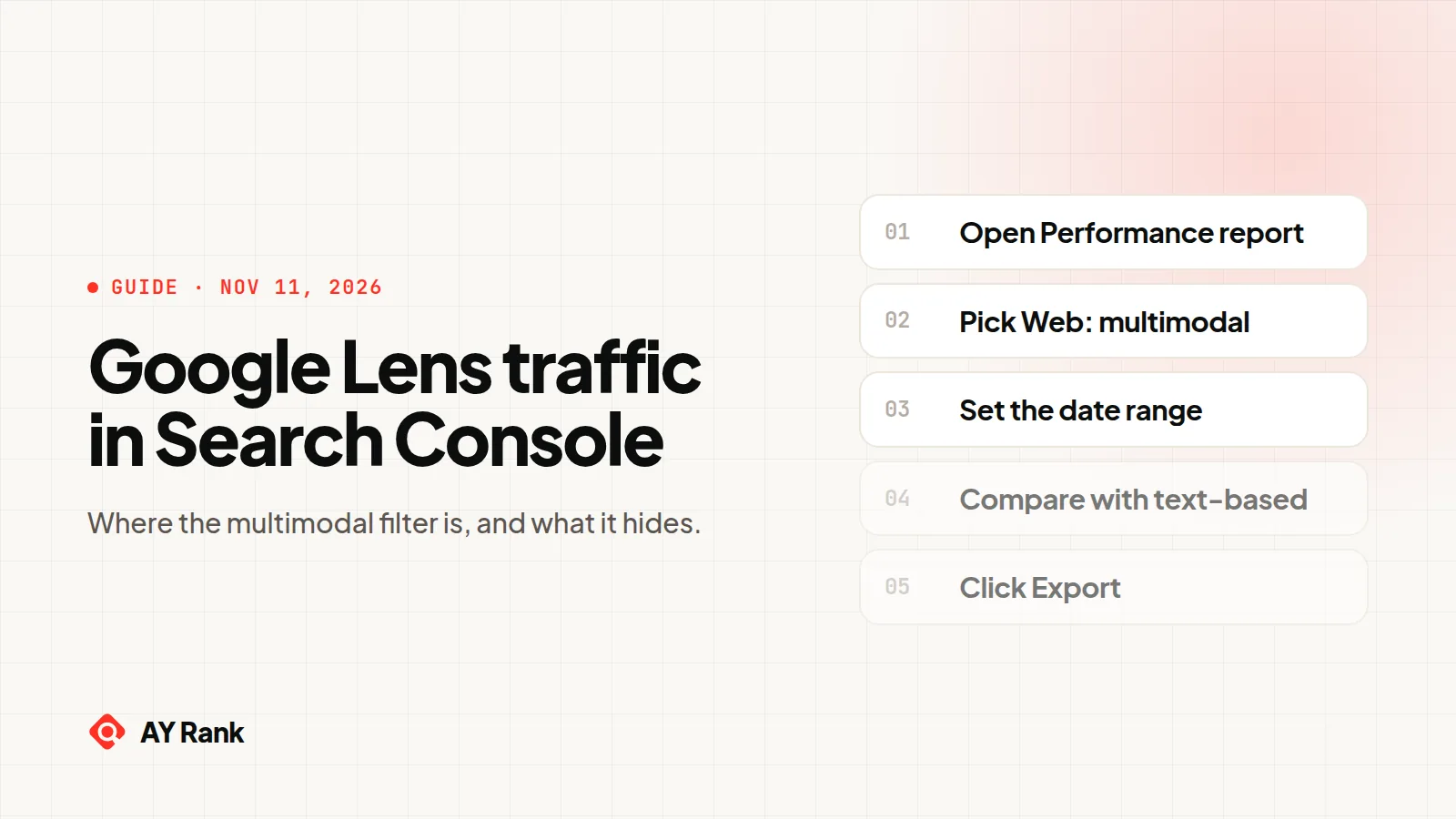
Six steps. The labels below are the ones Google uses in its help pages.
Use the Performance report link from Google's help page and pick your property. The default view shows "click and impression data for your site in Google Search results for the past three months."
Click the Search type filter at the top of the report and choose Web: multimodal. Google's help notes that "You can't remove the Search type or date filters", so this filter is always there to change.
If the chart stays empty, Google's post gives the likely reason: you only see the metrics "if your site is receiving traffic from these queries."
Click the date filter to change the period. Google hasn't said whether data exists from before September 24, 2026, the launch date. Start your range on or after that day, so you know the whole period was covered.
Google's advanced filtering help says Compare can "Evaluate two devices, countries, Search types, or Search appearances side by side." The steps, in Google's words:
The table then shows "a Difference column to compare values in each row." That is the raw gap, and on most pages typed searches will be the bigger number. To see which pages rely most on multimodal traffic, export the Pages tab for each search type and divide multimodal clicks by the two added together. That method is ours, not Google's.
Google allows "only one comparison at a time." To compare this month with last month instead, swap the comparison over to dates and set the chart to Weekly or Monthly. Google says that "neutralizes the "day-of-the-week" effect."
Google says the queries dimension isn't available with this search type. It doesn't comment on the other tabs (Pages, Countries, Devices, Search appearance, Dates). Those are the ones to use. More on queries below.
Google's post says to "Click "Export" to download the data and analyze it in your other tools." The help page adds that "Values shown as either ~ or - in the report (not available/not a number) will be zeros in the downloaded data." Don't read those zeros as real zeros.
The Performance report's standard metrics are clicks, impressions, CTR and average position. Google hasn't said how position or impressions are counted for a search made with an image. And the view does not show what people searched for.
Google's dimensions help page explains why: "Because multimodal searches mostly use images rather than text, specific text query data isn't available for this traffic. As a result, the queries dimension isn't available when this search type is selected."
That changes how you read it. With typed searches you start from queries. Here you start from pages.
| Tab | Status | What it tells you |
|---|---|---|
| Pages | Not restricted by Google | Which URLs people land on after searching with an image. Your main list. |
| Queries | Not available, per Google | Nothing. Google doesn't show text queries for this traffic. |
| Countries | Not restricted by Google | Where multimodal searches reach you, compared with your Web: text-based markets. |
| Devices | Not restricted by Google | Mobile, desktop or tablet. Google's own examples include a smartphone camera and Circle to Search on Android. See whether your split matches. |
| Dates | Not restricted by Google | Whether multimodal traffic is growing, flat or tied to a season. |
Sort the Pages tab by clicks, then by impressions. The pages near the top are where people land after searching with an image. Our reading, not Google's: for pages with many impressions and few clicks, check that the image and the text around it name the product clearly. That is what Google's image docs say it uses to understand an image.
Run the same compare (Web: multimodal against Web: text-based) on the Countries and Devices tabs. If a country sends you far more Web: multimodal traffic than Web: text-based, check that your product photos and text make sense to buyers there.
Google added the same filter to the Generative AI performance report, which covers AI Overviews and AI Mode. That report shows impressions, not clicks, and its tabs are Pages, Countries, Dates and Devices. Set its search type to Web: multimodal to see how often your pages showed in AI features after someone searched with an image. We explained that report in our guide to Search Console's AI Overviews report.
Google has not published advice for multimodal search specifically. What it has published is its image SEO best practices. That page says it applies to text result images, Google Discover and Google Images, and it doesn't mention Lens. So treat the list below as Google's general image advice applied to the pages your multimodal report surfaced, not as a Lens ranking recipe.
Google calls alt text "The most important attribute when it comes to providing more metadata for an image" and says it uses "alt text along with computer vision algorithms and the contents of the page to understand the subject matter of the image." Its best example is alt="Dalmatian puppy playing fetch". It warns against "filling alt attributes with keywords", which can "cause your site to be seen as spam."
"Google extracts information about the subject matter of the image from the content of the page, including captions and image titles. Wherever possible, make sure images are placed near relevant text and on pages that are relevant to the image subject matter." A product photo with the product name, model and a short caption right beside it does that.
"Google can find images in src attribute of <img> element" and "Google doesn't index CSS images." If you use srcset or a picture element, Google recommends "that you always specify a fallback URL using the src attribute." A product shot set as a CSS background won't be indexed as an image.
Google gives this example: "my-new-black-kitten.jpg is better than IMG00023.JPG". It also asks you to reference the same image "with the same URL" across pages "so that Google can cache and reuse the image."
Google's image sitemaps page says they tell Google "about other images on your site, especially those that we might not otherwise find (such as images your site reaches with JavaScript code)." A separate image sitemap or image tags in your existing one are "equally fine for Google", and each URL entry can hold "up to 1,000 <image:image> tags." Images that only appear after JavaScript runs, like some galleries, fit Google's own example.
| What you saw | Check first | Google's doc |
|---|---|---|
| A page you expected is missing | Is the image an img element with src, or a CSS background? Is it loaded only by JavaScript? | Image SEO, Image sitemaps |
| Impressions but few clicks | Is the image near text that names the thing in it? Is there a caption? | Image SEO |
| Many product pages, generic file names | Replace generic names like IMG00023.JPG with descriptive ones and write specific alt text | Image SEO |
| Same photo on many URLs | Reference it with one consistent image URL | Image SEO |
If you sell physical products, our GEO guide for e-commerce covers the product page side, and our e-commerce SEO service works on product pages and their images. For crawl and rendering problems behind missing images, see our technical SEO audit.
We are pulling ayrank.com's Web: multimodal numbers from the Search Console interface, since the API refuses this search type. We will add them here, with the date we pulled them, once we have them.
Open the Performance report for Search results, click the Search type filter and choose Web: multimodal. Google added this option on September 24, 2026. It covers Lens, Circle to Search on Android, image uploads to Google Search and Chrome's "Search this image".
Not stated by Google. The help pages describe one Web: multimodal option that includes all four sources. Google hasn't documented a way to separate them.
Google says "specific text query data isn't available for this traffic" because "multimodal searches mostly use images rather than text." The queries dimension isn't available with this search type, so work from the Pages tab instead.
Web: multimodal counts searches made with an image, such as a Lens photo. Image counts traffic "from results shown in the Google Images tab". They are separate search types, so check both.
Not as of November 11, 2026. The API reference lists no multimodal search type, and our request with "MULTIMODAL" returned HTTP 400. Use the Export button in the report instead.
Google's post says you will see these metrics "if your site is receiving traffic from these queries." No data usually means no traffic of this kind yet. Google also said the feature was "rolling out globally" from September 24, 2026.
Google's image SEO page doesn't mention Lens. It does say Google uses "alt text along with computer vision algorithms and the contents of the page to understand the subject matter of the image." Descriptive alt text is Google's general advice. Whether it changes Lens results specifically is not stated.
Sources: Google Search Central Blog, Announcing web multimodal Search performance reporting in Search Console, Search Console Help, Performance report (Search results), Search Console Help, Dimensions and data groupings, Search Console Help, Advanced filtering and comparison, Search Console Help, Generative AI performance report, Search Console API, searchanalytics.query, Google Search Central, Google image SEO best practices, Google Search Central, Image sitemaps. All read November 11, 2026.