Most sites carry pages nobody reads, nobody links to, and nothing has updated in years. Content pruning is the practice of finding those pages and deciding, one by one, whether to delete, redirect, merge, or rewrite them. Done right, it raises the average quality of the pages that remain, which is exactly the signal both Google's ranking systems and AI answer engines are trying to measure.
That second part matters more than it used to. When ChatGPT, Perplexity, or Google's AI Overviews decide what to cite, they are not scoring one page in isolation, they are forming an impression of the site behind it. A domain with 400 stale, half-finished posts sitting next to 40 genuinely useful ones sends a mixed signal. Pruning the 400 does not just save crawl budget on a large site, it makes the 40 easier to find, easier to trust, and easier to quote.
This guide covers how to find pruning candidates, how to decide what to do with each one, and the exact process, tools included, to run the audit yourself.
What is content pruning in SEO?
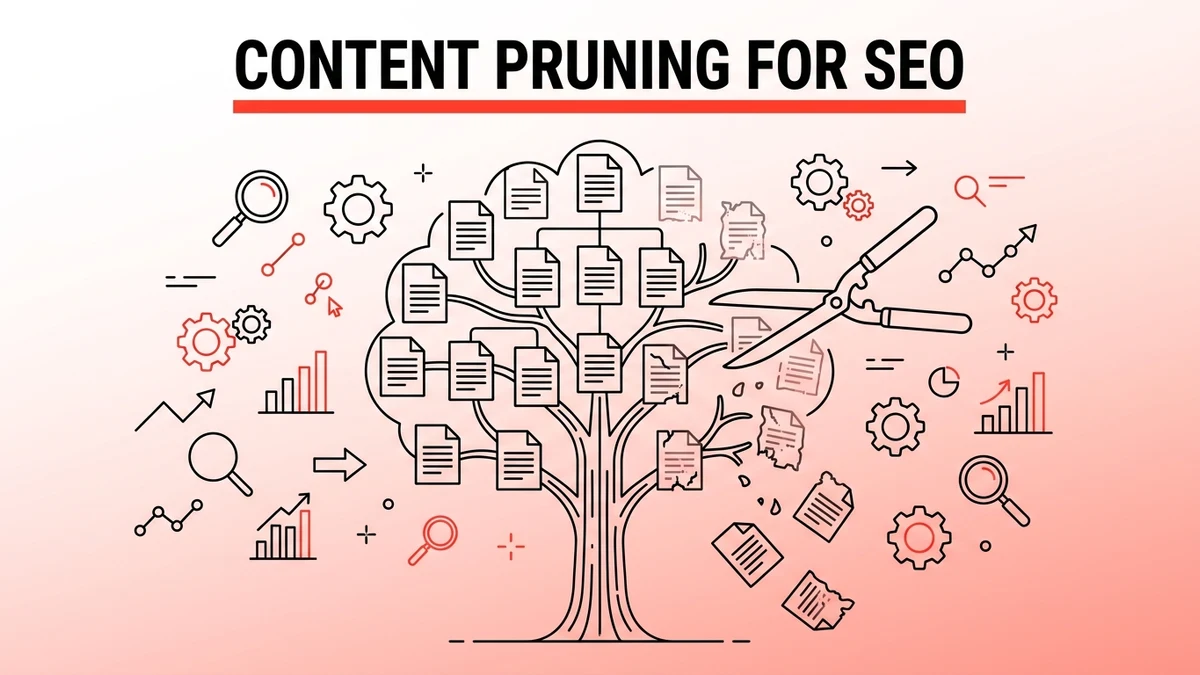
Content pruning is the process of auditing every page on a site and removing, merging, or redirecting the ones that are thin, outdated, duplicative, or simply attracting no traffic and no links. It is the opposite instinct of most content strategies, which focus on publishing more. Pruning asks whether some of what already exists is actively working against the pages you want to rank.
The practice is not new. Content marketers have run "content audits" for over a decade. What has changed is the stakes: a bloated site does not just waste a content team's time, it dilutes the quality signal that both search engines and AI crawlers use to decide how much to trust the domain.
Why does content pruning matter more in the AI-search era?
Because AI answer engines evaluate site-wide quality before they cite a single page, and thin content pages drag that average down even when nobody visits them directly. Google's own guidance on "helpful, reliable, people-first content" explicitly frames this as a site-wide judgment, not a page-by-page one: a large volume of unhelpful content on part of a site can affect how Google's systems assess the rest of it.
The same logic extends to how large language models retrieve and rank sources. A model deciding whether to cite a domain in a ChatGPT or Perplexity answer is, in effect, running its own lightweight trust check on that domain. Hundreds of thin, near-duplicate, or abandoned pages read as evidence of a low-effort site, regardless of how good the ten pages you actually care about are. Pruning is not a niche technical fix anymore, it is table stakes for anyone trying to get cited by AI search engines as well as ranked in Google.
How do you identify pages that should be pruned?
You identify pruning candidates by cross-referencing four data points for every URL: organic traffic, backlinks, cannibalization with other pages, and content freshness. A page that fails two or more of these checks is a strong pruning candidate.
Thin content
Pages under roughly 300 words that don't answer a real question in full are the easiest calls. These are usually old tag pages, half-written guides, or posts published to hit a content quota rather than to serve a search intent. Word count alone isn't the test, a 200-word glossary entry can be complete, while a 1,500-word post that never actually answers its own title is still thin.
Zero traffic, zero backlinks
Pull every URL from Google Search Console's Performance report, filter to the last 12 to 16 months, and sort by clicks. Any page with zero clicks and zero impressions across that window, and zero external backlinks in Ahrefs or Semrush, is a page doing no work for the site. Check whether it still gets meaningful internal links or direct traffic before assuming it's dead, but in most cases a page this quiet has no reason to stay live as-is.
Keyword cannibalization
Two or more pages competing for the same query is not a traffic problem, it's a signal problem: it tells search engines and AI crawlers that the site itself isn't sure which page is the authority on the topic. Search Console's Performance report, filtered by query, shows this directly. If three URLs all rank on page 2 for the same term, none of them is going to reach page 1 as long as all three exist.
Outdated information
Content that states facts, prices, statistics, or software versions that are no longer true. This is especially damaging for anything AI engines might quote directly, since a wrong number cited in a ChatGPT answer traces straight back to the page it came from. A quick way to surface these: sort by publish date and manually check anything older than 18-24 months against current facts.
Don't prune on one signal alone. A page with zero traffic but strong backlinks might need a rewrite, not deletion. A page with decent traffic but wrong facts needs an update, not removal. Cross-reference all four checks before deciding.
Delete, redirect, or consolidate: how do you decide?
Once a page is flagged, run it through a decision tree based on two questions: does it have backlinks or referring traffic worth preserving, and does another page on the site already cover the same topic better?
| Situation | Action | Why |
|---|---|---|
| No traffic, no backlinks, topic covered nowhere else | Delete, return 404 or 410 | Nothing to preserve, no equity to pass |
| No traffic, but has backlinks pointing to it | 301 redirect to the closest relevant live page | Passes link equity instead of losing it |
| Traffic exists, but a newer page covers the same topic better | Consolidate: merge the useful parts into the stronger page, then 301 the old URL | Stops cannibalization, keeps the equity |
| Traffic exists, topic is unique, but facts are outdated | Refresh in place: update stats, keep the URL | The page has demand, it just needs correction |
| Multiple thin pages on the same narrow topic | Consolidate into one thorough page, 301 the rest | One strong page beats five weak ones for the same query |
The order matters. Check for backlinks before deleting anything, a 404 on a page with real referring domains throws away link equity that took real work to earn. Screaming Frog's list mode, fed a CSV of URLs pulled from Search Console, will crawl each one and confirm its current status and internal link count in a single pass, faster than checking pages one at a time in a browser.
What's the step-by-step content pruning process?
Run the audit in five stages: export, score, decide, execute, and monitor. Each stage uses a specific tool and produces a specific output before you move to the next.
1. Export every URL
Crawl the site with Screaming Frog (or pull from your CMS/sitemap) to get a complete URL list, including orphaned pages that don't show up in navigation. Cross-reference against the XML sitemap, pages missing from the sitemap but still live are often the oldest, most forgotten ones.
2. Score each URL
Build a spreadsheet with columns for: 12-month organic clicks (Search Console), referring domains (Ahrefs or Semrush), word count, publish/update date, and whether the primary keyword overlaps with another page on the site. This single sheet is what turns "I think this page is dead" into a decision you can defend.
3. Apply the decision tree
Work through the table above row by row. Tag each URL: delete, redirect, consolidate, or refresh. Resist the urge to default to "refresh everything," refreshing a page nobody was ever going to read is wasted effort that a straight deletion would have handled in one click.
4. Execute in batches
Don't prune 300 pages in one deployment. Batch by content type or section (all outdated "best of" listicles, say), execute, and wait two to three weeks before the next batch. This isolates the impact of each round and gives you a clean before/after read.
5. Monitor and adjust
Track organic traffic to the affected site section (not just the deleted URLs, which will obviously drop to zero) for 60-90 days after each batch.
- Removes cannibalization between pages competing for the same query
- Raises the average quality signal AI crawlers and Google associate with the domain
- Frees up crawl budget on large sites (10,000+ URLs) where it genuinely constrains indexing
- Makes the content that remains easier to maintain and keep accurate
- Deleting a page with real backlinks without redirecting it forfeits that link equity
- A page with low traffic today might still be building toward relevance on a rising query
- Consolidation done carelessly can produce a bloated page that answers nothing well
- Results take weeks to show up, it's not an instant traffic fix
Does content pruning actually help AI search visibility, not just Google rankings?
Yes, and the mechanism is direct rather than incidental. AI answer engines build their sense of a domain's authority from the pages they can crawl and parse, and a smaller set of clearly-written, well-maintained pages is easier for a retrieval system to summarize accurately than a large set of overlapping, half-finished ones. When content strategy is built around citability rather than volume, pruning is one of the few technical levers that improves the ratio directly, since it doesn't require writing anything new to see the average quality of the site go up.
There's a second, quieter effect specific to AI crawlers: many of them (GPTBot, PerplexityBot, ClaudeBot) have their own crawl allowances and don't necessarily revisit a site as often as Googlebot does. Every crawl cycle spent re-fetching a dead page with no unique information is a cycle not spent picking up a genuinely updated one. On sites with thousands of URLs, that adds up in ways that are easy to underestimate until the audit spreadsheet is sitting in front of you.
How does this fit alongside technical SEO and crawl budget work?
Content pruning and crawl budget management are related but not the same fix, and treating them as interchangeable is a common mistake. Crawl budget, in Google's own terms, is about how many URLs Googlebot is willing and able to fetch on a given site in a given window. Pruning reduces the total number of low-value URLs competing for that budget, which helps on genuinely large sites, but for a site with a few hundred or a few thousand pages, the bigger win from pruning is the quality signal, not the crawl efficiency. If crawl issues are showing up in Search Console (long "Discovered, not indexed" queues, slow indexing on new content), that's worth a dedicated technical SEO audit alongside the pruning pass, since the two problems often share a root cause but need separate fixes.
Frequently asked questions
What is content pruning in SEO?
Content pruning is the practice of auditing a site's existing pages and removing, merging, or redirecting the ones that are thin, outdated, duplicative, or attracting no organic traffic and no backlinks. The goal is to raise the average quality of the pages that remain rather than simply adding more content.
How do I know if a page should be deleted or redirected?
Check for backlinks first. If a page has zero organic traffic but real referring domains pointing to it, redirect it (301) to the closest relevant live page to preserve that link equity. If it has neither traffic nor backlinks and no other page covers its topic, deleting it and returning a 404 or 410 is safe.
Will content pruning hurt my search rankings?
Pruning correctly, meaning cross-referencing traffic, backlinks, and cannibalization before acting, generally improves rankings for the pages that remain rather than hurting the site overall. The risk is in pruning carelessly: deleting a page with real backlinks without a redirect, or removing a page that had low traffic today but was ranking for a query gaining volume.
How often should I run a content pruning audit?
Once or twice a year for most sites, and after any major site migration or CMS change. Fast-growing content sites publishing weekly may need a lighter quarterly pass focused specifically on posts older than 18 months.
Does content pruning affect crawl budget?
Yes, but mainly for large sites. Google's own guidance states crawl budget is a meaningful constraint mainly for sites with hundreds of thousands of URLs or more. On a smaller site, pruning still helps, primarily through the quality signal it sends rather than through freed-up crawl allowance.
What tools do I need to run a content pruning audit?
Google Search Console for traffic and query data, a crawler like Screaming Frog to get a complete URL list including orphaned pages, and a backlink tool like Ahrefs or Semrush to check referring domains before deleting anything. A spreadsheet ties the three data sources together into one decision per URL.
Should I refresh a page instead of pruning it?
Refresh a page in place if it has real search demand and covers a unique topic, but the facts, stats, or examples inside it are outdated. Prune it (delete, redirect, or consolidate) if the traffic and backlink data show no demand, or if another page on the site already covers the same ground better.
How does content pruning relate to AI search and GEO?
AI answer engines like ChatGPT, Perplexity, and Google AI Overviews form a trust judgment about an entire domain before citing any single page from it, and a large volume of thin or abandoned content drags that judgment down. Pruning raises the ratio of genuinely useful pages on the domain, which is one of the more direct levers available for improving AI search visibility without producing new content.
Sources: Google Search Central: What Crawl Budget Means for Googlebot, Google Search Central: Creating Helpful, Reliable, People-First Content

Adel tracks AI citation rates across ChatGPT, Perplexity, Gemini, and AI Overviews. He turns raw visibility data into actionable insights that guide our optimization strategy.
Full Bio →